
HappyMod Resmi
HappyMod ile %100 çalışan bir mod bulun!
Ücretsiz modlu oyunları ve uygulamaları indirmek için HappyMod APK’sının en son resmi sürümünü indirin.
HappyMod, geliştiricilerin orijinal uygulamalarını yayınladıkları Google Play Store’dan oldukça farklı olan; üçüncü taraf geliştiriciler tarafından, üzerinde değişiklik yapılmış (modifiye edilmiş) uygulama ve oyunlara odaklanmak üzere geliştirilmiş bir Android uygulama platformudur. HappyMod, öncelikli olarak premium özellikleri kullanıma açmak amacıyla değiştirilmiş APK dosyalarıyla ilgilidir.
Bu platform, özellikle premium özellikler arayan ancak çeşitli uygulama ve oyunların abonelik ücretlerini karşılayamayan kullanıcılar için faydalıdır. Resmi uygulamalar, bu tür kullanıcıların ihtiyaçlarını karşılamak amacıyla modifiye edilmektedir. Bununla birlikte, modlanmış sürümlerin bazı güvenlik sorunları da barındırabileceği unutulmamalıdır.
HappyMod nedir?
HappyMod, uygulama ve oyunların değiştirilmiş sürümlerini sunmak amacıyla üçüncü taraflarca geliştirilmiş bir Android uygulama platformudur. Değiştirilmiş sürüm; kullanıcıların premium özelliklerden ücretsiz olarak yararlanabilmesi için orijinal uygulamanın bu özellikleri açacak şekilde düzenlenmesiyle oluşturulan bir versiyonu ifade eder. Bu düzenleme veya değişiklikler, kullanıcıların ihtiyaçlarını karşılamak üzere üçüncü taraf geliştiriciler tarafından gerçekleştirilir.
Yapılacak değişiklikler uygulamaya bağlıdır; ancak yaygın değişiklikler şunları içerebilir:
Yukarıdaki tüm değişiklikler her uygulama için geçerli değildir; durum, ilgili APK’ya göre değişiklik gösterir. Mod sürümü, orijinal sürümden oldukça farklıdır.
HappyMod’u resmi bir Android uygulama mağazası olarak değil, bir mod paylaşım platformu olarak tanımlamak çok daha doğrudur. Modifiye edilmiş sürümlerde geliştiriciler, orijinal uygulamanın kısıtlanmış dağıtımını serbest bırakırlar.
HappyMod Nasıl Çalışır?
HappyMod’un temel amacı modlu sürümler sunmaktır; peki bu sistem nasıl çalışır? Üçüncü taraf geliştiriciler, orijinal APK dosyasının paketini açarak kodlarında veya kaynaklarında değişiklikler yaparlar. Gerekli tüm değişiklikler tamamlandıktan sonra, modifiye edilmiş APK dosyası yeniden paketlenir ve HappyMod’a modlu bir sürüm olarak yüklenir.
Bunu bir örnekle açıklayayım: Diyelim ki bir oyun başlangıçta belirli bir miktarda oyun içi para birimi içeriyor; ancak yapılan bir değişiklik sonucunda, yerel olarak depolanan oyun değerleri değiştirilerek kullanıcılara farklı bir miktar gösteriliyor. Grafik değişiklikleri, reklamların kaldırılması veya orijinal uygulamada kısıtlanmış olan işlevlerin açılması gibi daha pek çok olası değişiklik de mevcuttur.
İstemci Tarafı ve Sunucu Tarafı Değişiklikleri
Modlu APK’yı değerlendirirken, ilgili tüm bilgilerin hem cihaz hem de çevrimiçi sunucu tarafından kontrol edilmesi gereken kritik bir husustur. İki tür değişiklik söz konusudur: istemci taraflı ve sunucu taraflı değişiklikler.
İstemci tarafı özellikleri: Bu değişiklikler kullanıcının cihazında gerçekleştirilir. Bunlar bazen uygulama dosyaları değiştirilerek değiştirilebilir.
Sunucu taraflı özellikler: Bu değişiklikler, uygulamaların çevrimiçi altyapısıyla ilgilidir. Uzak sunucuda depolanan bilgiler, basit bir APK dosyasının değiştirilmesiyle değişmez.
HappyMod ile İlişkili Başlıca Özellikler
HappyMod, sunduğu çeşitli özellikler sayesinde, premium nitelikteki özellikleri ücretsiz olarak arayan kullanıcıların ilk tercihi haline gelmiştir. Bu özellikleri daha iyi anlayabilmeniz için aşağıda sıraladık.

Geniş Modlu Uygulama Seçkisi
HappyMod aracılığıyla çok sayıda modlanmış uygulama sunulmaktadır. Tüm uygulama ve oyunlar düzenlenip kategorize edilmiştir. Uygulama güncellemeleri geldikçe veya eski sürümler uyumsuz hale geldikçe, gerekli tüm düzenlemeler zamanında yapılmaktadır.

Çoklu Mod Sürümleri
Genellikle popüler uygulama ve oyunların birden fazla mod sürümü bulunur. Her sürüm farklı özelliklere ve uyumluluk durumuna sahiptir. Yeni bir sürüm, orijinal uygulamaya yönelik uyumluluk özellikleri veya değişiklikler getirdiğinde bu durum faydalı olur.

Mod Bilgileri
Her sürümle birlikte, yapılan değişikliğe dair kapsamlı bilgiler de sunulmaktadır. Kullanıcılar bu bilgiler sayesinde, cihazlarına uygun olan sürümü seçebilirler. Söz konusu bilgiler; uygulama sürümü, değişiklik ayrıntıları, dosya boyutu ve diğer özellikleri içerebilir.

Community Feedback
This feature is very helpful to keep the applications working and updated. Through community feedback it became to know that, is there any broken installations, compatibility problems, missing features or outdated modifications.
Users also comments in the discussions but it could not be as substitute for security verification.

Games and Applications
HappyMod offers mod versions of games and android applications. However, the type of modification varies for games and apps. If we talk about game modification then it may include the changes in gameplay-related elements. The modification of an android application may include advertisement changes, interface functions or other features.
Why Do People Use HappyMod?
There are millions of games and apps available in the market. They offer premium subscription plains which are not affordable for each user. So there are many users who want to enjoy these features without paying fee. Here comes the usage of HappyMod. Because it offers modified versions of the apps and games. In which the premium features are being offered free of cost.
HappyMod APK vs Google Play Store
Google Play is Google’s official Android application marketplace. The available applications are being published by following Google’s security process. We can say that these applications are 100% safe and secure.
HappyMod is a third-party developer website, which offers mod versions of the applications and games. A mod version may have some security risks, and offers premium features free of cost. The following table is very helpful to understand the difference:
| Feature | Google Play | HappyMod |
| Original developer distribution | Usually | Not necessarily |
| Modified applications | Generally no | Main focus |
| Official developer updates | Yes | Depends on the mod |
| Modifications | No | Yes |
| Security responsibility | Shared with platform/developer | More responsibility falls on user |
| Official support | Usually available | Usually unavailable for modified builds |
It is very important to note that, a modified APK cant be considered equivalent to the official application.
Is HappyMod Safe?
It is very important question to know that, is HappyMod safe? The safety of the app depends on the source of downloading. If you have downloaded the APK file from a well trusted or reputed platform then we can say that it is secure to use. However, as the mod versions are created by third-party developers, that’s why we can say them 100% secure.
Potential risks include:
If you depends on reviews and positive comments, then let me tell you that, it is not a security certificate.
How to Check a Mod APK Before Installing It
If you have decided to use the mod version of any app or game, then it is very important to check the APK file before installing it on your device.
Following are some important measurements:
1. Check the Source
Always try to download the APK file from a very trusted and reputed platform. There are many fake APK websites offers the same APK files by using same name, logos and download buttons to convince to install the unrelated software.
2. Scan the APK
Before unpacking the APK file, it will be much better to scan it from a trusted antivirus tool. In this way the risk of malware may reduced to some extent, but it may possible the tool may not detect the malware.
3. Examine Permissions
Official apps do not require extra permission while installation. If the APK file you are going to install is asking for extra permissions which may relate to unrelated sensitive information, then it concerns to security issues.
4. Check the Version
The version you are going to use should be compatible for your device. Old version may also stop working when there is an updated version is available.
5. Read Recent Comments
Recent comments about the mod version may also is a good sign to understand that, either it is secure to install or not. In this way you will get the benefit from other’s experience.
Recent comments will help you to understand the followings:
Keep in mind that, comments only shows the user experience, not give the guarantee about the security.
6. Keep Android Security Features Enabled
It is very important to do is, to keep security feature enabled of your android device. In this way you will be secure to some extent while installation the mod APK file. Security warnings may never be disabled.
What Does “Mod” Mean in a Mod APK?
Mod is a short form of the word modification. A modded APK file is a changed or modified APK file, which has been made by making changes in original APK file. These changes are made to unlock the premium features of the original application. So that the users who can’t afford the premium subscription, can enjoy them in mod version. The mod version is usually developed by the third-party developers.
Why Some HappyMod Mods Stop Working
As mod versions are modified by third-party developers which are not official developers, that’s why there are some issues due to which mod versions may not work.
There are several reasons due to which it happens, we have enlisted some of the common issues for you:
Original App Updates
It is one of the main reasons when there is an update in the original application, then the mod version may also stop working.
Server Changes
Servers are the main computer system where are the data of the applications are stored, if online service may change server-side systems then it may possible that, mod version may stop working.
Android Compatibility
Android compatibility may be changed in the new versions. They can introduce changes to permissions, storage, security, and application behavior. In this way the application may not work properly.
Broken or Outdated Mods
Sometimes the modifications are nor properly implemented, which may become the cause of application stoppage. So users should pay attention to the application version, android compatibility, modification description and recent feedback while going to install the app.
Can HappyMod Be Used on a PC?
HappyMod has been developed for android users only. This application is not compatible for Windows. However, it is possible to use some of the applications on computer through android emulators like BlueStacks.
Exact compatibility depends on the emulator, android version, application requirements and the particular APK. It should be kept in mind that; the usage of emulator does not provide the security for the usage of untrusted APK file. Running a malicious application with in the emulator can also harmful and can create security issues.
Don’t depend on emulator, and don’t treat it as a complete security solution.
Can HappyMod Be Used on iPhone or iPad?
HappyMod is mainly associated with android APK files only. Let me tell you that, APK is an Android package format and not a native application format which is being used by iOS devices. So APK files can’t be download and installed on iPhone just like the android devices. There are many websites, which claim that HappyMod can also be used on iOS devices, let me alert you that, be careful and stay away from such type of applications to be installed on your device.
HappyMod Installation on Android
The process of installing HappyMod APK file on android is easy and no security verifications. We have enlisted the process in very easy steps for you:
Different devices shows different interface, same menus shows differ from various devices.
Common HappyMod Installation Problems
HappyMod has been developed by third-party developers, not by the official experts. It may possible that during installation some issues may occur. We have enlisted some of the common issues for you to make the installation process easy:
App Not Installed
While installation this is the common error, which says, “App not installed”. Following are the possible causes for this error:
This error can also be fixed by deleting incomplete downloaded files, and by installing compatible version.
Download Keeps Failing
This error may become due to a weak internet connection, browser problem, server issue and due to the incomplete file. Just use the stable internet connection and make sure the downloaded APK file is completed.
Mod Does Not Work
If mod is not working, then it is possible that the version is not compatible with your device or may be dependent on server-side feature.
App Crashes After Installation
Crashes can result from incompatible Android versions, missing supporting files, conflicting installations, or changes made to the original application. App may be crashed after the installation has been completed, this may be due to incompatible android versions or due to the missing supporting files.
Is HappyMod Legal?
The legal position of HappyMod depends on different factors like application, modification, country copyright law and term of services. It is not a legal activity to modify the official version and redistribute the copyrighted software without permission. It is clearly mentioned in some of the applications terms that modifications and redistribution is prohibited.
It is very important to note that, before modification and redistribution of an app, user should check the relevant developer’s license. Redistribution of copyrighted APKs without permissions can create greater legal exposure.
Can Using a Mod APK Get an Account Banned?
Being a user of mod version, it is very important question to know that, either the usage of Mod APK can also banned the account? The answer is yes. An online server-side system is being used to detect unusual activity and can lead to the account suspension.
This is particularly important for:
There are two issues, malware risk and account-ban risk, but both are quite different from each other. It is possible that, an APK file is free of malware but still violate the service’s rules.
Why Do Mod APKs Require Different Signatures?
Digital signatures are used in the android applications to establish unique identity of the software. In mod version APK file is modified and repacked after modification, they cannot use the original developers’ signatures.
In short, we can say that, a modified APK behave differently from the official application when the application name and icon appear identical. This is also one of the reasons that, during installation mod version can produce signature or installation conflicts.
HappyMod and Privacy
Privacy is the main section while using the mod version. Let me tell you that, additional libraries or codes are added in a modified application. The matter is that, what has been added in the library, which may affect the application’s network activity, advertising behavior, tracking or data access.
Being a user of a modified version, you should be cautious while modified application requests access to:
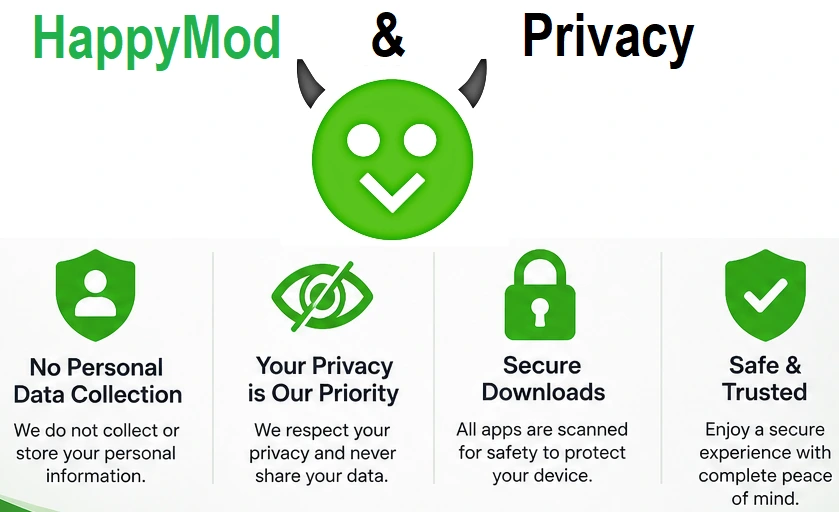
All the permissions have the clear relationship with the application’s purpose.
How to Choose a Better Mod Version
There are some of the applications which have more than one mod version, here is a question that, which version should be chosen to install.
While selecting the version, following are the main points to be consider:
Above given points are more useful to consider while the selection of the mod version, as compared to depend on the download count.
Advantages & Disadvantages of HappyMod
Advantages
Cons
HappyMod Alternatives
There are many platforms which claims to offer the same services just like the HappyMod. The best alternative should be considered which have more library of mod APK as compared to official stores.
Let me tell you that, the safest alternative is Google Play Store which offers to provide official apps. All the apps are following the Google Terms and Conditions and safe to use.
While using the apps which are not available on Google Play Store, you just investigate the APK either developer offers an official APK or any other method of distribution. Don’t consider the number of availability of “Mod APK” while choosing the alternative, just consider the source, process of updating, developer reputation, security practices and licensing
FAQ’s
Final Verdict
At the end of all this discussion about, HappyMod we can say that, it is best alternative of Google Play Store to download the Apps and Games. One plus point of HappyMod is that, it offers mod versions of the app which allows to use premium features free of cost, which are not offered in official store.
Happymod has become the first choice among the users looking for premium feature free of cost. Due to a big collection of mod versions of popular apps, it has beat the Google Play. But there are some security issues because these apps are developed by third-party developers and not verified by Google Play Store.